HomeTechnologyA private AI server for my family

I Built a Private AI Server for My Family on an RTX 5090

10 Things It Does, and How to Build One

One computer in a closet now streams our home videos, answers the kids by voice, turns grandma’s stories into cartoons, hosts family trivia, and runs a private research engine for work, with most of it staying inside our house.

What it does

Ten things, in six kinds. One server.
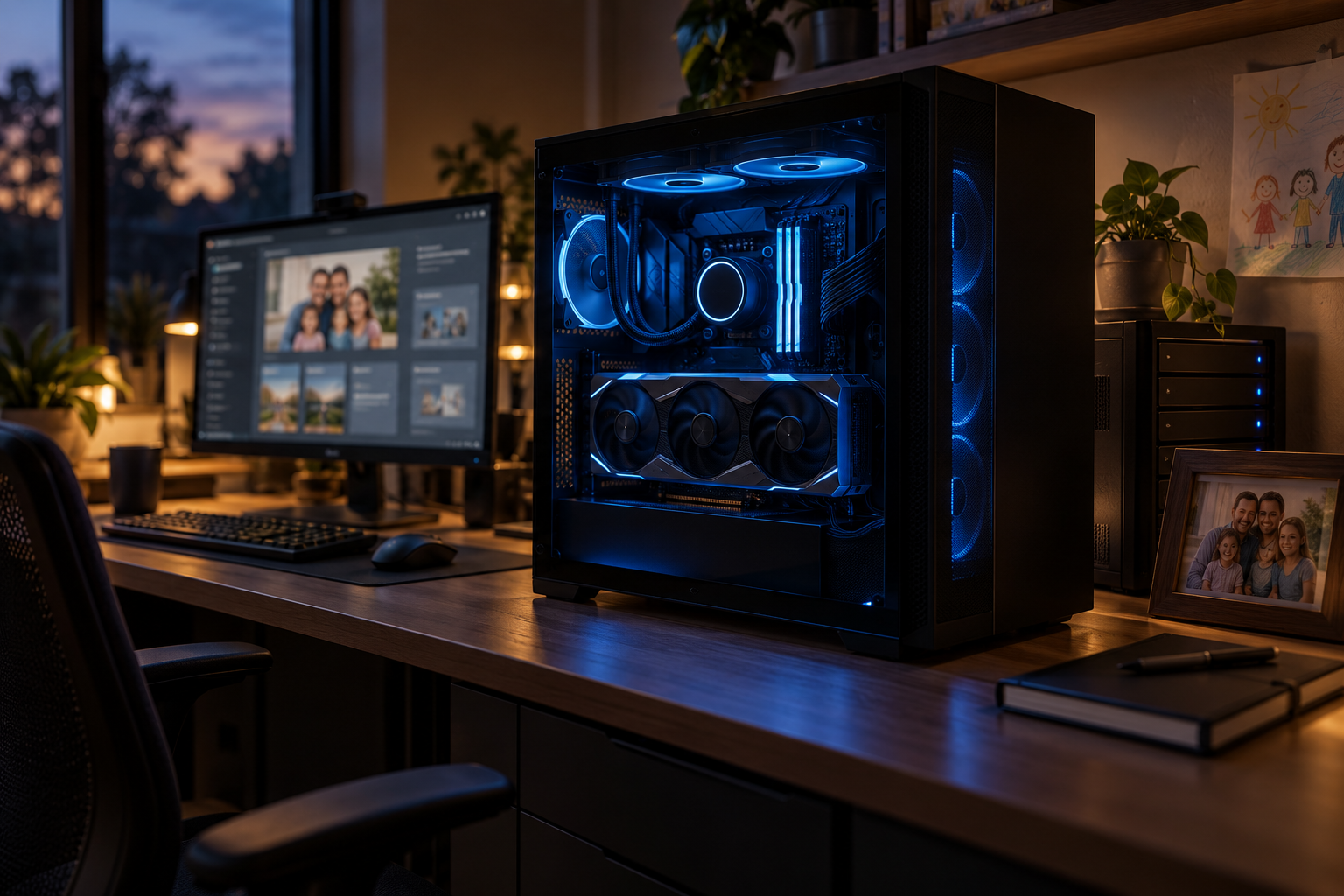
A black PC tower with a glowing GeForce RTX card on a desk in a dim room The
Family
AI Server

It’s not just a PC. It’s a family superpower.

With an RTX 5090 (32 GB) and a few free, self-hostable tools, one machine in your home runs the AI models, streams the media, indexes the photos, and renders the cartoons.

  • Fast local AI, no per-token bills
  • Handles video, images, and voice
  • Multiple accounts, kid-safe by permission
  • Works on phones, TVs, and laptops
  • The private core stays home; the web is a tool
My setup
GPUASUS TUF Gaming RTX 5090 OC (32 GB)
SSDBig, mirrored storage for photos and video
DKRDocker Compose runs every service apart
NETTailscale for secure remote access

The goal isn’t to build a smaller ChatGPT in my house. It’s to build an AI that understands my house.

— Albert Richer
32 GBon one RTX 5090: the language model, photo index, voices, and cartoon renderer stay loaded at the same time
10things it does for my household, plus the eleventh I am still building, each with a reality rating, setup time, and run time
1door to the internet, opened per request for web research. Family files never go through it
A family already runs a dozen subscriptions that each know a slice of it.One box in a closet knows the whole family and answers to no one else. Start the tour →
Not everything is equally finished, and every chapter says which.Chat, photos, and the house manual are ready today. Most of the rest is glue I wrote. Cartoons are the frontier. The meter →
“Nothing leaves the house” is the wrong promise.The private core stays home; the internet is an explicit tool. Here is what goes out, request by request. What leaves →

Every family I know is renting its own memory. The photos live with one company, the videos with another, the homework helper charges by the question, and the documents are scattered across three clouds. I got tired of it and built the alternative: a single computer in our closet, built around an ASUS TUF Gaming RTX 5090 OC with 32 GB of memory, that does all of that and a list of things none of those services would ever do, because none of them know that the dog ate the birthday cake. I am not a company. I am a dad who did this over a stretch of weekends.

A Tuesday with the box, from our calendar
7:10 a.m.“What’s today?” The kitchen speaker reads the calendar, the chore list, and who is driving to soccer.
3:40 p.m.My 7-year-old presses the ? button on the playroom iPad and asks why the sky is blue. It answers for a 7-year-old.
6:15 p.m.Dinner. The kids pitch tonight’s episode: the family goes to the moon. The shots render while the dishes are done.
8:00 p.m.Bedtime. Chapter 12 of a story that stars her, read aloud by the box.
9:30 p.m.I ask the work brain what changed between two contract drafts. Nothing gets uploaded anywhere.

Read the meter before the dream

Every chapter carries a rating, a setup time, and a run time, so a technical reader knows what to expect and a curious dad knows where to start.

READY NOWMature software already does most of this. Install it, point it at your files, done in an evening.
DIY GLUEThe parts exist and work; I wrote the wiring between them. Expect a weekend and some tinkering.
FRONTIERIt works in my house, but not with appliance reliability. Expect to babysit it.

Setup is my wall-clock time to get it working, after the box itself existed. Each run is how long the machine takes to finish one job. Your part is the human minutes involved. The smaller chips say local or not, web or not, and how hard it leans on the graphics card.
01
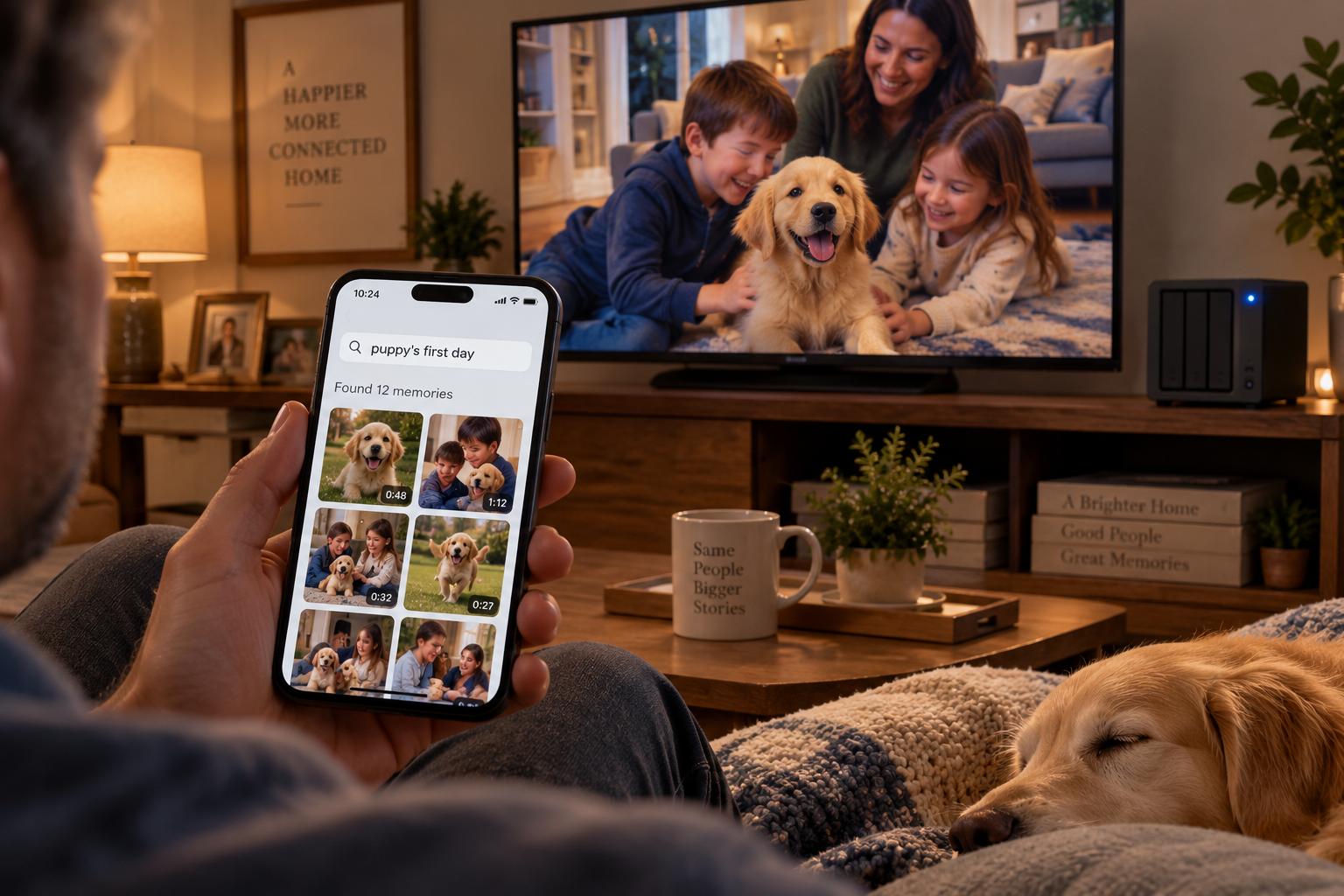
A phone held up in a living room showing a search over a grid of family photos, with the matching home video playing on the TV behind it

01 · THE MEMORY BANK

“Hey Siri, Family Search.” “Show me the puppy’s first day.”

The phone hears the request. The closet answers with the video.

READY NOWSIRI PART: DIY GLUELOCAL: YESWEB: NOGPU: LOW
SetupOne eveningplus one night for the first index
Each runUnder 2 secondsa search; new photos index as they arrive
Your partZerophones back up on their own

Every photo and home video the family has ever taken is indexed by face, by place, by date, by the words visible in the frame, and by what is actually happening in it. That last one is the difference from a folder on a hard drive. These are real searches from our box:

dog wearing Christmas sweater
my daughter + beach + 2024
photos containing the words HAPPY BIRTHDAY

The voice part is a named shortcut, not a replacement for Siri’s brain: say the shortcut’s name, then the request, and it sends the words to the box over our private network and shows what comes back.

Under the hood
Immich for the library: face recognition, scene search, text-in-image search, automatic phone backup. An Apple Shortcut that calls the box’s search address. The index is the foundation five other chapters stand on.

The face index took one night to build across our whole library on the 5090 and has run in the background ever since. Immich’s own docs say plainly that its database backup is not a backup of the photos. Both need copies. I learned that before I needed to, which is the only good way.
02
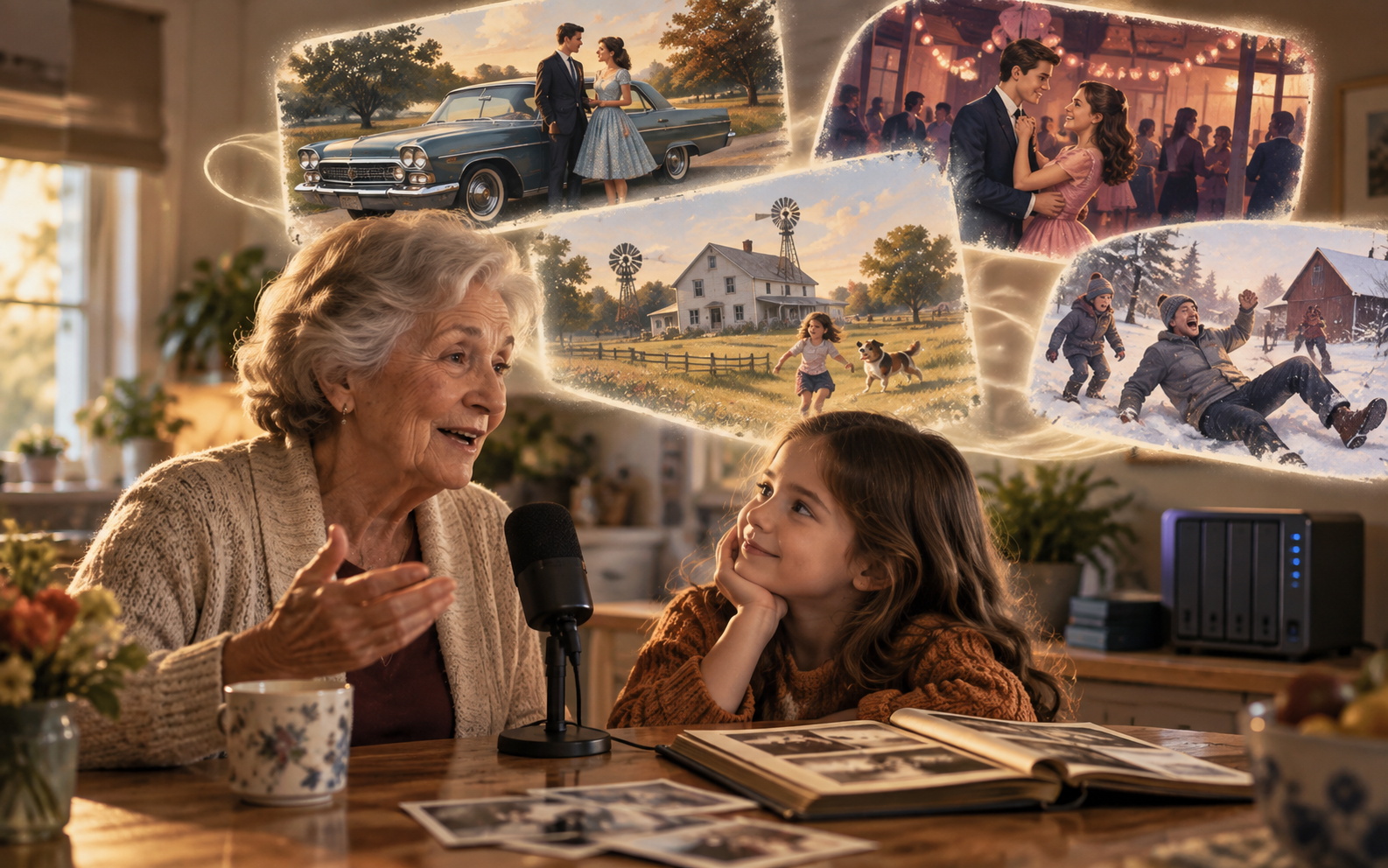
A grandmother at a kitchen table speaking into a small microphone while illustrated panels of her memories float behind her

02 · THE FAMILY ARCHIVE

Grandma’s stories become a series

Record an hour. Keep it forever. Then let the kids watch it.

DIY GLUELOCAL: YESWEB: NOGPU: MEDIUM
SetupOne weekendtranscription, tagging, filing
Each runAbout 20 minutesper hour of recording; a cartoon of one story adds an evening of rendering
Your partOne hourthe interview itself, which is the point

Sit a grandparent down with a microphone and ask about 1962. The box transcribes every word, pulls each story out as its own chapter, and files it under the people and places it mentions. Then it hands the story to the cartoon studio, and the kids watch grandpa’s first car break down on the way to the dance, drawn in the family’s own style. Her recipe cards go in the same drawer: scanned, read aloud by her, filed with the story of the first time she made each one.

Under the hood
Whisper turns the recording into a timestamped transcript on the 5090; the language model splits it into stories and tags them; the character pipeline in chapter 04 illustrates each one. Narration is grandma’s own recording, or a local voice; a cloned voice only with her say-so.

I recorded the first interview on a phone at the kitchen table. Whisper produced the transcript; the language model then corrected every family name against the list of people in our photo index, which is why none of them came out wrong. The kids have watched the first illustrated story more times than anything on a streaming service.

03
A mother and daughter in bed reading tonight's story on a tablet, while the story's purple dragon and castle fill the window behind them

03 · THE BEDTIME ENGINE

Tonight’s story stars her, and it never runs out

A series, not a story. Chapter 12 picks up where chapter 11 left off.

DIY GLUELOCAL: YESWEB: NOGPU: LOW
SetupOne weekendthe story bible and the button
Each runAbout 90 secondsto write and voice a chapter; 10 minutes to listen
Your partThree tapswho, where, how long

Her button asks three things: who is in it, where are we going, and how long. The box knows her name, her best friend’s name, the dog, the tree house, and the dragon she invented in March. Each night it writes the next chapter in that world, at her reading level, with a cliffhanger she will ask about at breakfast, and reads it aloud in a warm local voice. On nights a parent is traveling, the chapter can be read in that parent’s cloned voice, from a phone, from anywhere, if that parent recorded the samples and said yes.

Under the hood
A story “bible” per child that the model reads before writing; Piper for the everyday narration voice; a separate voice-cloning model for the parent voice, used with consent; the chapter saved to the archive.

The story bible started as a note with her name, the dog, and the tree house. It is now pages long because she edits it. My rule: a chapter is never longer than the time it takes her to fall asleep, so the model writes to a word count I tuned by ear.
04
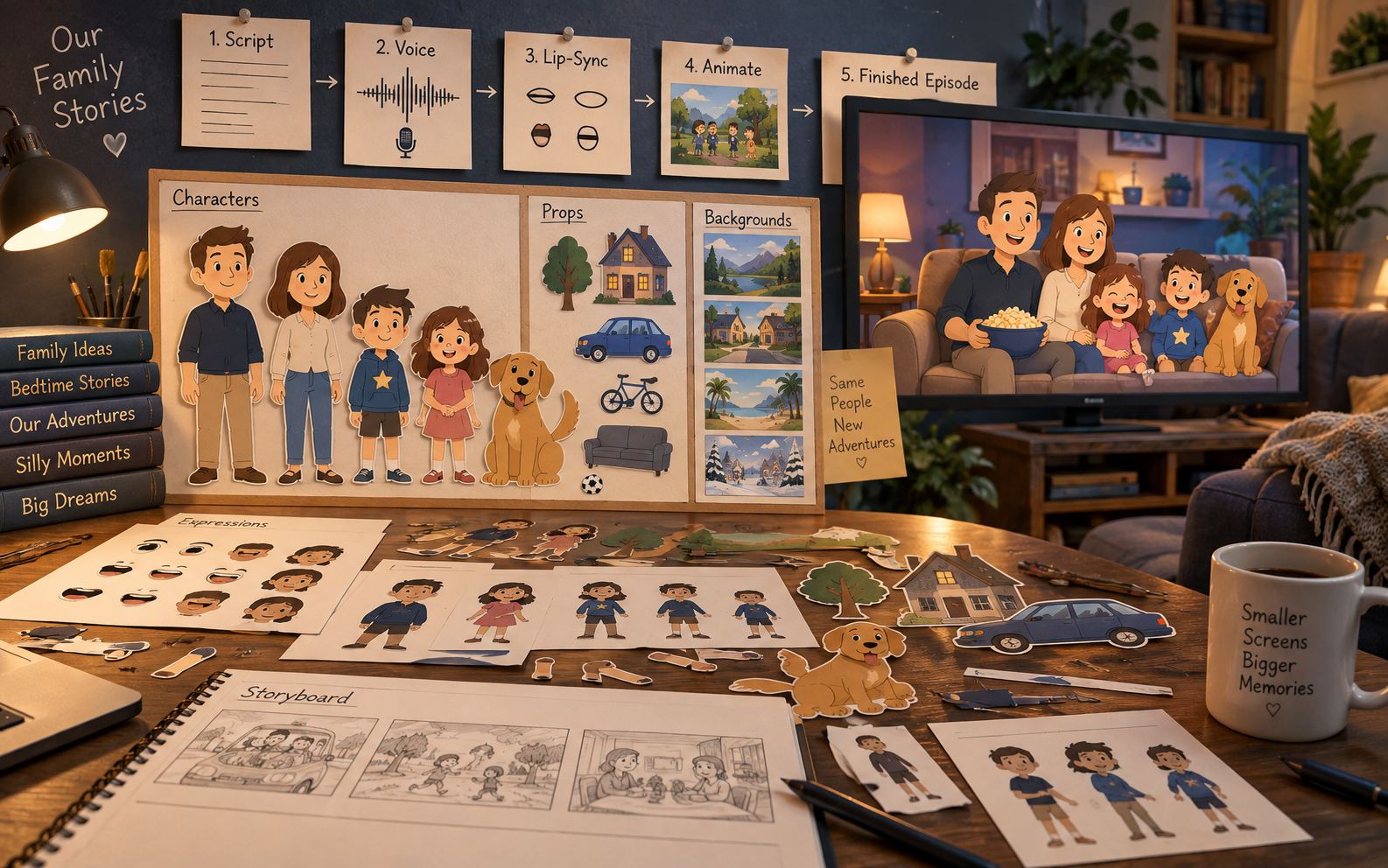
A cartoon workshop desk: pinned cards for script, voice, lip-sync, animate, and finished episode; a board of reusable family character cut-outs, props, and backgrounds; a storyboard; and the finished episode of the cartoon family on a TV

04 · THE CARTOON STUDIO

“Family AI, cartoon that.”

Your family, drawn once, starring forever. Same people, new adventures.

FRONTIERLOCAL: YESWEB: NOGPU: HIGH
SetupThree to four weekendsa character rig per person, then the pipeline
Each run30 to 60 minutesfor a two-minute episode, shot by shot, then stitched
Your partTen minutesthe pitch at dinner and one look at the script

Each of us is drawn once as a simple cut-out character, the way a certain Colorado town has been drawn for thirty years. So is the house, the car, the dog, and the kids’ friends. After that, an episode starts as a sentence at dinner. Something ridiculous happens with the spaghetti, someone says “Family AI, cartoon that,” and by bedtime there is a new episode under Family TV called The Great Spaghetti Disaster. Theoretical ones work too: “What if our family went to the moon?” Funny things that happened, things that might, and grandma’s stories from chapter 02 all run through the same studio.

Here is the part I got wrong the first time. I assumed a script goes into a video model and an episode comes out. It does not, or rather it does and Dad has a different face in shot 17 and the dog has five legs. The pipeline that actually works is less generative, not more: fixed 2D rigs with reusable heads, mouths, arms, and poses; a language model writing structured scenes; voices generated separately; a lip-sync tool timing the mouths; the rigs animated programmatically; generative video only for the occasional special shot. Every shot is eight to fifteen seconds, then they are stitched.

1. CHARACTER KITRigs for each of us, plus props and backgroundsBlender Grease Pencil
2. SCRIPTScenes, lines, shot list from the pitchLanguage model
3. VOICEEach line in a local voice per characterPiper
4. LIP SYNC + POSESMouth shapes timed to audioRhubarb Lip Sync
5. BACKGROUNDSNew scenery in the locked styleComfyUI
6. SHOTS8–15 s each; video AI for specials onlyBlender, LTX
7. STITCHShots, music, titles into one fileffmpeg
Under the hood
Rigged 2D characters keep everyone consistent; generation fills in what the kit does not have. The 5090 is what makes the render happen tonight instead of tomorrow, and even so a two-minute episode is minutes of work per shot, not a single prompt.

The characters were the first thing my kids asked for and the reason they stopped thinking of the closet computer as Dad’s. Drawing each of us once, then locking the style, was the whole trick. The pinboard in the picture is a fair drawing of the real one. It is the most fun thing on the box and the least finished, and both of those are true.

05

05 · THE WHY BUTTON

“Asking the All-Knowing Daddy…”

One button on the playroom iPad. Answers pitched to whichever kid it belongs to.

DIY GLUELOCAL: YESWEB: OFF FOR KIDSGPU: LOW
SetupOne eveningonce the family chat exists
Each run5 to 10 secondsper answer; a cartoon on the topic adds a few minutes
Your partSunday coffeereading the question log

The app has a single red question mark. Press it, the screen says “Asking the All-Knowing Daddy,” and the child asks whatever is on her mind. The box answers in a way that particular kid will understand quickly: shorter and more concrete for the seven-year-old, more detail for the ten-year-old. If it is a good one, it offers a five-minute cartoon on the subject.

The first version recognized the child by camera. I took that out. The playroom iPad is simply logged into the child’s own account, which solves the same problem without biometrics, and that account has no work documents, no household finances, no unrestricted tools, and no web at all. The kids’ AI is fun without holding the master key to the house.

Under the hood
A small web page pinned on the tablet, signed in as the child; Open WebUI permissions set to deny everything by default and grant only what that child needs. A system prompt sets the tone; it is not the security boundary, the account is.

The name came from my daughter. I wrote each kid’s tone rules as plain sentences and I read the question log on Sundays. The best part is watching a seven-year-old learn that “why” is a button she is allowed to press as often as she wants.
06
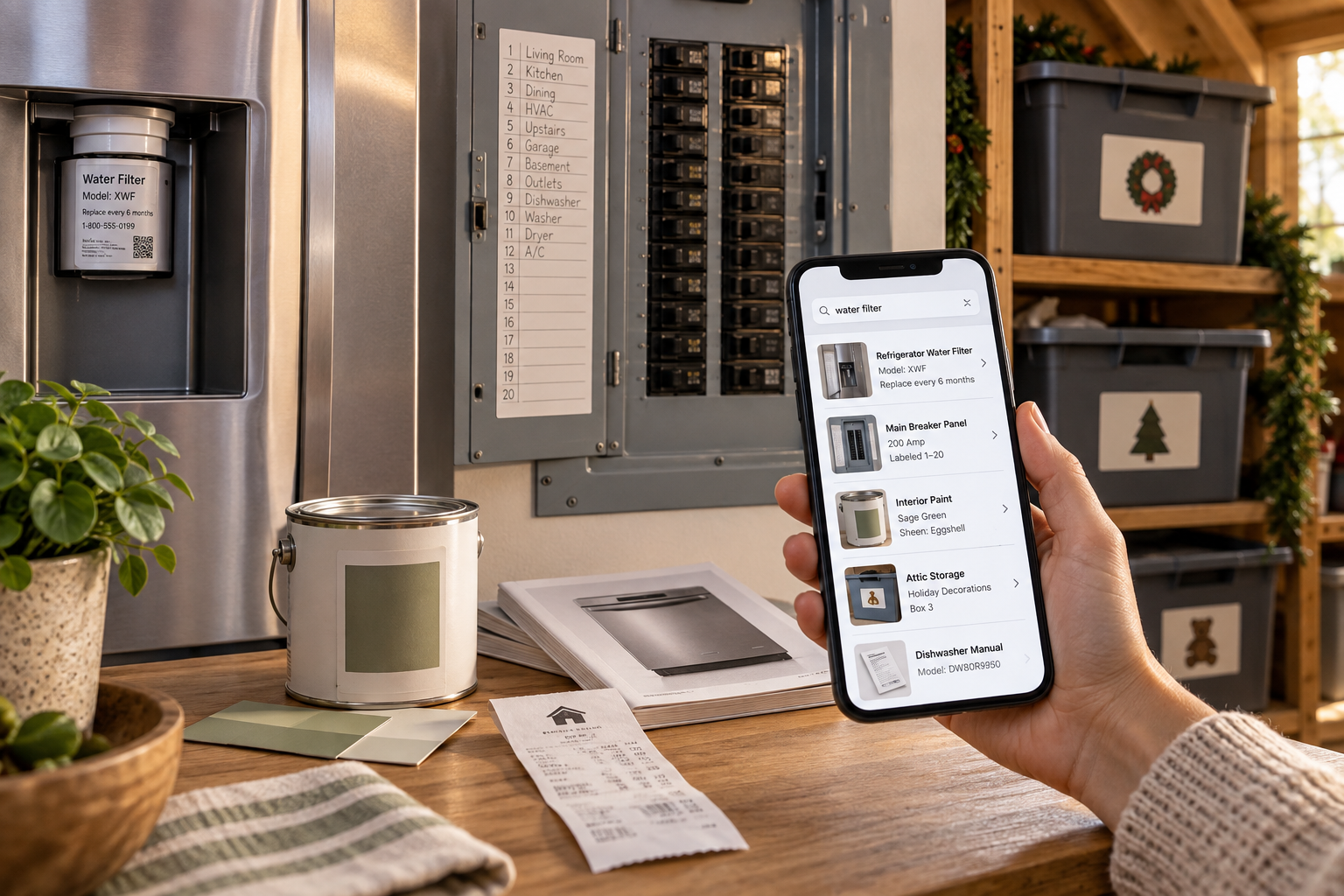
A phone searching 'water filter' returns the fridge filter model, the breaker panel, the paint color, and the holiday bins in the attic, with the real objects around it

06 · THE HOUSE MANUAL

“Which filter does the fridge take?”

Photograph every label once. Ask forever. Then do the attic.

READY NOWLOCAL: YESWEB: NOGPU: LOW
SetupOne afternoonwalking the house with a phone, plus an hour of configuration
Each runUnder 3 secondsa question; new photos file themselves
Your partSnap and forgeta receipt takes five seconds

Walk the house and photograph every appliance label, model plate, warranty card, breaker panel, and paint can. From then on the house has a manual that answers questions: which breaker is the garage, what size is the furnace filter and when is it due, what color is the hallway, when was the water heater installed. Receipts go in the same pile, so finding the invoice from the HVAC replacement becomes a query. It is a document brain, not a tax preparer.

Then keep walking, into the attic and the garage. Photograph the bins, the shelves, the boxes of decorations. Now “Where is the inflatable Christmas dog?” and “Do we still have spare patio bulbs?” are questions with answers, which in most houses they are not.

Under the hood
Paperless-ngx reads the text out of photos and PDFs, files them with tags, and exposes them to the model as searchable pages; the photo index handles the bins. Paperless stores documents in plain form on disk, so the box’s drives are fully encrypted; insurance, IDs, and work material live there too.

I walked the house with my phone one afternoon and photographed every label and plate I could find. The first real payoff was a breaker question from a sitter while we were out to dinner. She asked the kitchen speaker; it answered; nobody called me.
07
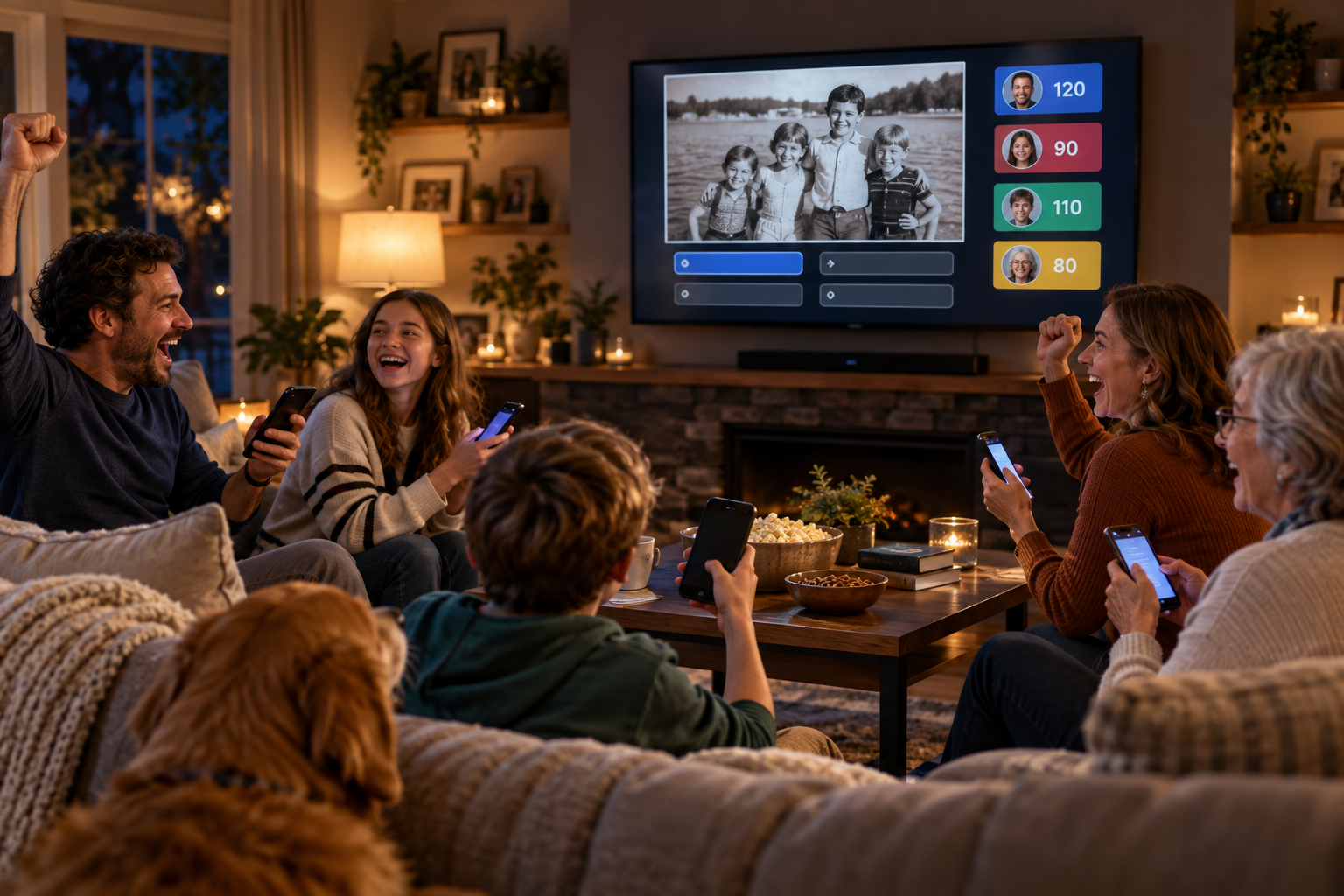
A family and grandmother cheering on the couch, phones in hand, as the TV shows an old family photo and a scoreboard

07 · GAME NIGHT

“Who knows Dad best?”

A quiz show only this family could play, on everyone’s phones.

DIY GLUELOCAL: YESWEB: NOGPU: LOW
SetupOne weekendthe page, the scoreboard, the question generator
Each runOne minuteto build a 30-question game; 40 minutes to play it
Your partPick the playersand referee the spoon challenge

The host pulls a photo from the memory bank and asks what year it was taken, how old Mom was in it, or which city it is in, then follows with a question about that city anyone could answer. It mixes family history with the rest of the world, keeps score on every phone, and knows when to throw in a riddle or a physical challenge before the youngest player loses interest.

PersonalizedFrom this family’s photos and calendar.
Who knows Dad best?Dad answers privately first; everyone guesses.
Family historyGrandma’s stories, as questions.
Movie triviaWeighted to what we actually watched.
Kid triviaPitched so the seven-year-old can win.
RiddlesFirst phone to buzz.
Music challengesName that tune from our own library.
Goofy physical challengesSpoon on the nose. Camera judges.
Under the hood
A phone-friendly web page served from the box; questions generated from the photo index, the archive, and the model’s general knowledge; a shared scoreboard that updates live.

Game night is a web page on our phones, nothing installed. The “who knows Dad best” round is the one that gets loud. I added the goofy physical challenges after the youngest lost interest halfway through the first night; now she asks for those first.

08

08 · THE FAMILY CHAT

The chat that never bills you and never wanders

A tutor for the kids, a lock for the parents, no credits for anyone. Dad’s AI and the seven-year-old’s AI do not need the same keys to the kingdom.

READY NOWLOCAL: YESWEB: PER ACCOUNTGPU: MEDIUM
SetupOne eveningthe first thing I built
Each run2 to 8 secondsto a full answer on the 5090
Your partTen minutes per kidwriting their rules, once

Every phone in the family has the same icon. Homework help that shows its work and refuses to just hand over the answer. Research for a school project that reads real sources and cites them. And each account is locked to its lane, not by asking the model nicely but by what the account is allowed to touch: the seven-year-old’s has no web and no documents, the ten-year-old’s can search an allow-list of sites but cannot talk to anyone, and parents can read the logs. There is no meter running, and nothing typed into it leaves the house unless that account has web search turned on and asks for it.

Under the hood
Open WebUI in front of Ollama. Its permissions are additive, so the right setup is deny everything by default, then grant per account: web search, image generation, and each private knowledge base are switches. Tailscale makes the box reachable from school pickup without a single open port.

This is the piece my family actually uses most, and it was the first thing I built, in one evening. Each kid has an account with rules I wrote; my wife and I can read the logs. The homework question at 9 p.m. on a Sunday, answered for free, is worth more than any feature that sounds impressive.
09
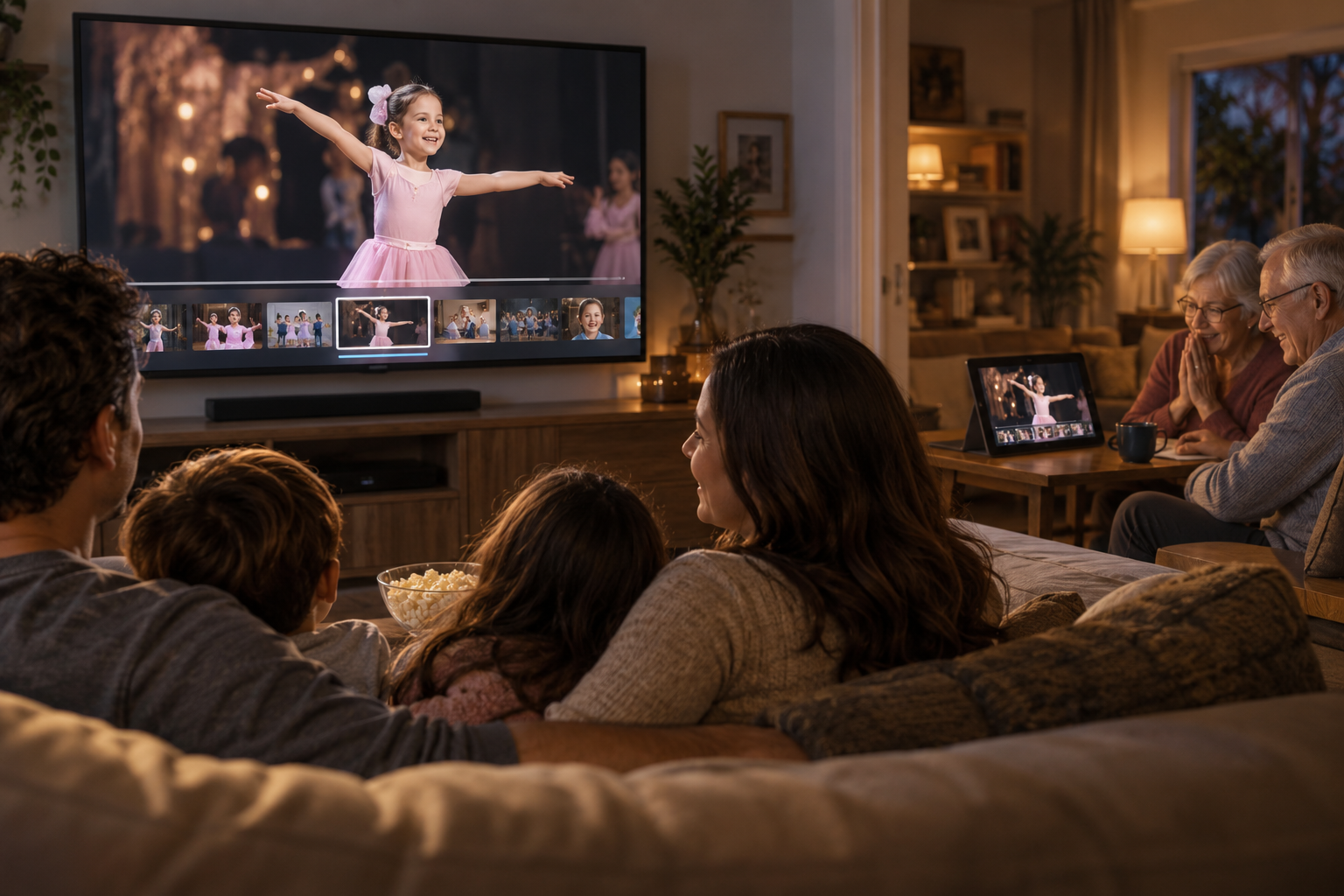
A family watching their daughter's ballet recital on the TV with a highlight timeline underneath, while grandparents watch the same clip on a tablet

09 · THE FAMILY CINEMA

The recital, in any room, and at grandma’s

Every home video on every screen, plus the cut nobody had time to make.

READY NOWAI CUT: DIY GLUELOCAL: YESWEB: NOGPU: MEDIUM
SetupOne eveningfor the library; a weekend for the AI cut
Each runOvernighta highlight reel builds itself while everyone sleeps
Your partZeropress play at breakfast

Home videos, ripped discs, the school play, the cartoon episodes from chapter 04, all in one library that plays on the TV, on phones in the car, and at a grandparent’s house across the country. Ask for it the way you would ask a person: “Put on the one where Dad fell off the tube.” Then the AI cut: it finds the ninety seconds of the recital where your kid is actually on stage, and by each birthday it has assembled a highlight reel of that child’s year without anyone asking. Every December it drafts the family’s year in eight minutes, with chapters.

Works away from home?
DeviceHowVerdict
Phones and laptopsTailscale app, one loginEasy
Apple TVTailscale has an Apple TV app; Jellyfin plays from the boxSupported
Random smart TV at grandma’sNeeds a subnet router on her network, or a different remote setupExtra step
Under the hood
Jellyfin for the library; the face index from chapter 01 finds who is on screen and when; the model writes the cut list and ffmpeg assembles it. The box is published only inside our private network, never to the open internet.

The video hub was the first thing on the box, before any AI: every home video and ripped disc, streaming to our phones and the TV. The AI cut came later and is now the birthday-party trick: a highlight reel of that kid’s year, assembled overnight, played at breakfast.
10
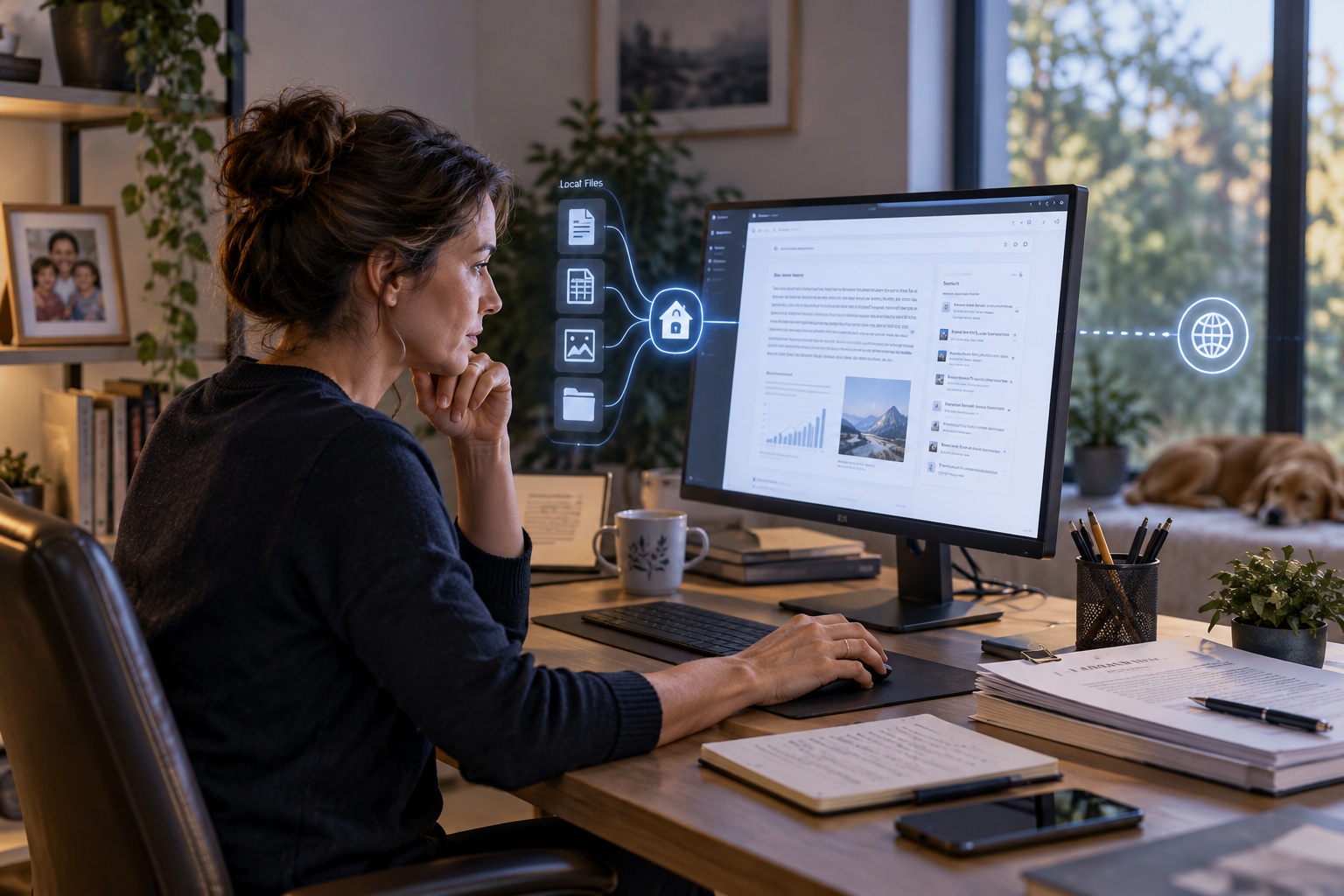
A woman at a home office desk reading a sourced research answer, with local files flowing into a house icon and a separate thin line out to the web

10 · THE WORK BRAIN

A private research engine that pays for the rest

The files stay inside. A separate, narrow door goes out.

DIY GLUELOCAL: YESWEB: SANDBOXEDGPU: MEDIUM
SetupOne weekendthe work index and the search sandbox
Each run1 to 10 minutesa briefing with sources; new files index themselves
Your partAsk welland read the citations

Contracts, notes, past reports, and bookmarks, indexed on the box and readable by the model. Ask what changed between two drafts, what was promised to a client last spring, or for a briefing built from your own files plus, when you ask for it, the open web. Every answer cites where it came from. The private index and the web tool are kept apart on purpose: a public web page can carry instructions meant to trick a model, so what comes in from outside never gets to rummage in the private files. Email is its own pipeline.

Two lines I owe the reader. Local AI removes the per-token meter; it does not make the internet free, and live research still reaches outside the house. And local processing makes sensitive work possible, it does not make it permitted. Employer and client policies still apply, and mine allow this.

Under the hood
The same model and chat as chapter 08, with a parent-only knowledge base over work files; retrieval pulls the relevant pages into the model’s context. Web research runs through a self-hosted search broker in its own sandbox, so search terms go out and pages come back, but the family files never make the trip.

This one justified the graphics card. I use it for work every day: my own documents, indexed in a parent-only space, with answers that cite the page they came from. The cartoon studio justified the card to the kids.
11
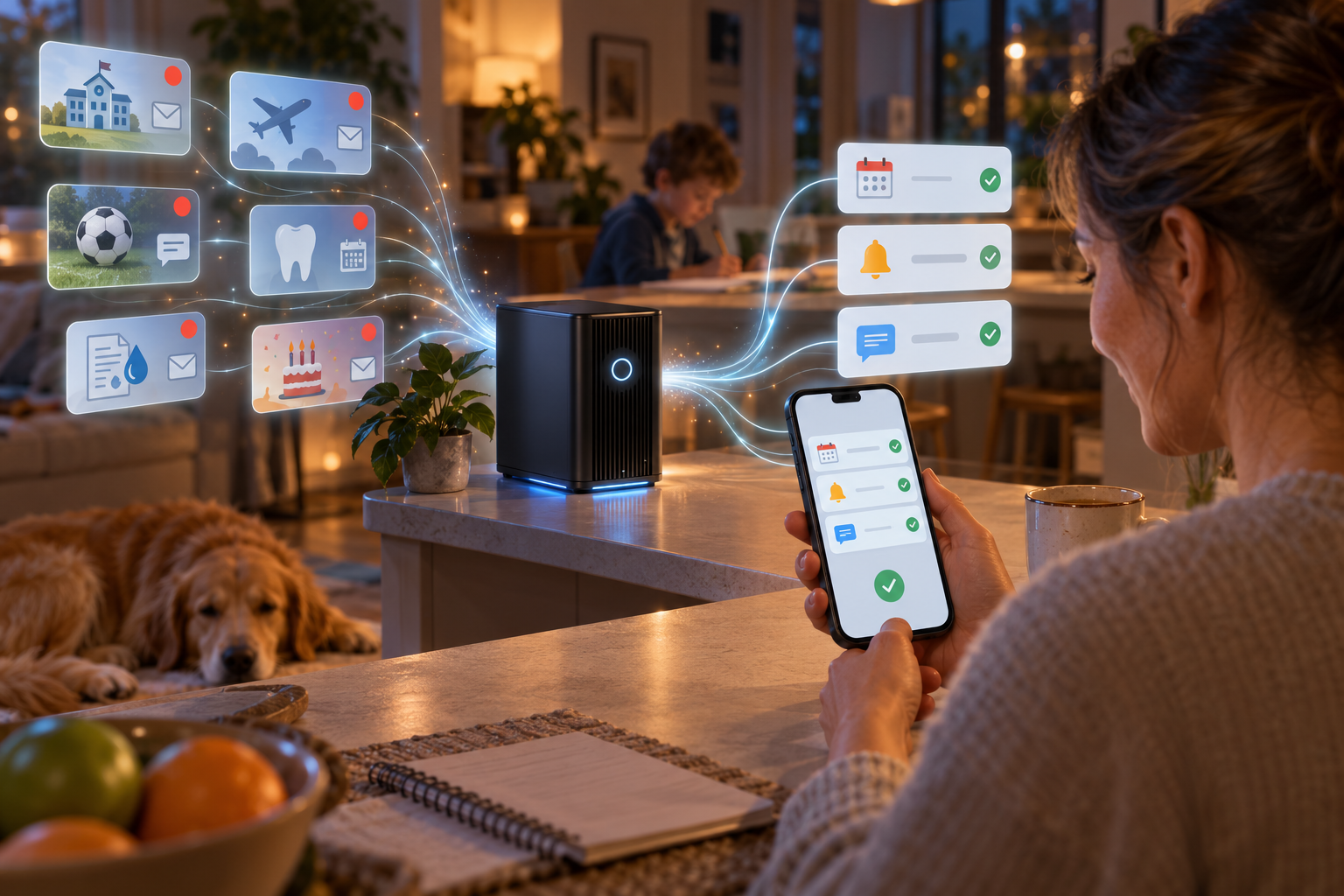
Incoming emails from school, an airline, soccer, the dentist, a utility, and a birthday invitation flow into the home server on a kitchen counter, and out the other side as calendar, reminder, and message items that a mother approves on her phone

11 · THE FAMILY CHIEF OF STAFF

“The email was six paragraphs. The box gave me three things I needed to do.”

Everything above answers questions about what the family already told it. This one notices what arrives, and prepares the action.

FRONTIER · IN PROGRESSLOCAL: THE THINKINGWEB: THE INBOXGPU: LOW
SetupTwo weekends so farthe inbox reader works; the approval taps are what I am wiring now
Each runSeconds per emaila briefing waits for the evening
Your partOne tap per actionnothing outside happens without it

The school sends six paragraphs. The box reads it and files three lines: field trip on the 17th, permission slip due the 10th, eighteen dollars, bring lunch. The airline changes a flight and it goes into tonight’s briefing. Soccer moves practice by half an hour and the box proposes the calendar edit. The dentist’s reminder is filed under the right child. The utility bill arrives and the box says it is 38 percent above a normal August, because it has three years of bills in the house manual to compare against. A birthday invitation comes in as a picture and the date, the place, and the RSVP deadline come out.

The rule that makes this safe is the same one that runs the whole house: the model proposes, a parent approves. Nothing goes onto the calendar, no reply is sent, no reminder is set until someone taps Approve in the family queue. This is the dangling thread from chapter 10: email is its own pipeline, and this is the pipeline. It turns the box from a private brain into a private operator, which is why it is the last chapter and the least finished.

How a school email becomes a calendar entry
InboxLocal model reads itExtracts dates, money, whoFamily queueMom or Dad approvesCalendar, reminder, or draft
Under the hood
n8n, self-hosted in its own container, talking to the same Ollama model as everything else; its own starter kit bundles n8n, Ollama, Qdrant, and Postgres. A Gmail trigger starts a workflow when mail arrives; the model extracts what matters; a Wait step pauses the workflow until a parent submits the approval form; only then do the calendar and reminder steps run. The email itself is the one outside thing that flows in, which is why this chapter is “local: the thinking” and not “local: everything.”

The inbox reader was the first thing I built that surprised my wife. The approval queue is why I trust it: the model has been wrong about a date twice, and both times the wrong date sat in the queue until a human read it and tapped Ignore.

BONUS · TWO MORE THAT CAME FREE

“We’re watching a movie.”

DIY GLUELOCAL: YESWEB: NOGPU: LOW
SetupOne weekendplus the devices
Each runInstant
Your partOne sentence

Say it to the kitchen speaker and the shades close, the lights dim, the thermostat nudges, and the TV turns on. “She’s going to bed” dims my daughter’s room and launches story mode. The rule that makes it safe: the model only interprets the intent, and Home Assistant performs a scene I already defined. The model never invents device actions. Home Assistant labels device control experimental and suggests exposing fewer than 25 devices to a small local model, which is exactly the discipline that keeps a seven-year-old from opening the garage by asking nicely.

The Sunday paper

FRONTIERLOCAL: YESWEB: NOGPU: MEDIUM
SetupOne weekend
Each runAbout 20 minutesSunday at 5 a.m., on its own
Your partZeroread it with coffee

Every Sunday morning the box drafts a one-page family weekly: this week’s new photos, one funny moment pulled from the chat log with permission, what is coming up on the calendar, a memory from five years ago today, and a question for the family to argue about at breakfast. Some weeks it adds a ninety-second video recap. It is the least necessary thing on the box and the one the kids run to the kitchen for.

The time budget, all thirteen

Setup is what it cost me once. Each run is what the machine takes. Your part is what a human does.

Setup, run time, and human time, honestly
ChapterStatusSetupEach runYour partEveryday use
08 Family chatReadyOne evening2–8 sRules, once10
01 Memory bankReadyEvening + overnight indexUnder 2 sZero10
06 House manualReadyOne afternoonUnder 3 sSnap and forget9
09 Family cinemaReadyEvening; weekend for AI cutOvernightZero9
10 Work brainDIYOne weekend1–10 minAsk well10 for Dad
03 Bedtime engineDIYOne weekend~90 sThree taps9
05 Why buttonDIYOne evening5–10 sSunday log8
07 Game nightDIYOne weekend1 min build, 40 min playReferee7
02 Family archiveDIYOne weekend~20 min per hour recordedThe interview7
12 Movie modeDIYWeekend + devicesInstantOne sentence8
04 Cartoon studioFrontier3–4 weekends30–60 min per episodeTen minutes7
13 Sunday paperFrontierOne weekend~20 min, unattendedZero6
11 Chief of staffFrontier, in progressTwo weekends so farSeconds per emailOne tap per action7, and climbing

Times are mine, on the 5090, after the box and its containers existed. A 16–24 GB card does each job; the runs that lean on the GPU take longer and cannot overlap. Everyday use is my 1–10 rating of how often the family actually reaches for it: 10 is daily by everyone, 5 is weekly, 1 is a party trick.

Before and after

What the box replaces, and what it adds that nothing else could.

Before

A photo service, a video service, a homework bot on credits, three document clouds, a smart-speaker account, and a separate login for each. Each one knows a slice of the family. None of them know the dog ate the cake.

After

One box, one icon on every phone, one library on every screen. It knows the whole family, answers by voice, draws them as cartoons, and nothing it learns is for sale.

Myth“This is a project for people who run servers for a living.”
FactI am not one. Every piece below is self-hostable, free for household use, and installed by following a page. The hard part was never the software; it was deciding what my family wanted it to do, which is why the tour comes first.

What actually leaves your house?

“Nothing” is the wrong answer. This is the right one, request by request.

Egress by request type, on my setup
RequestFamily files leave?Query leaves?Where it goes
“Summarize this warranty”NoNoStays on the box
“Find puppy photos”NoNoStays on the box
“Write tonight’s story”NoNoStays on the box
“What changed in this contract?”NoNoStays on the box
“Research mortgage rates today”NoYesSearch terms to a self-hosted broker, then to public search engines
Cloud or API video mode (I don’t use it)PotentiallyYesWhatever you upload, to that vendor

The kids’ accounts have no web tool, so their rows are all “No.” A self-hosted search broker keeps no profile and strips identifying data from queries, but it is privacy plumbing, not an offline internet.

What runs it in my closet

One card, free software, and the wiring. The wiring was the work.

The machine is a desktop PC with an ASUS TUF Gaming GeForce RTX 5090 OC, the 32 GB version. That single card runs the language model, the photo face index, speech recognition, the text-to-speech voices, and the image and video renderer for the cartoons. Thirty-two gigabytes matters because it lets several of those stay loaded at once, so the why button does not wait for the cartoon studio to finish. Everything else in the box is ordinary: a lot of storage for photos and video, and copies of that storage elsewhere. The services run as separate containers, which is what keeps a broken cartoon experiment from taking the family chat down with it.

My stack, job by job
JobWhat does itChaptersWhy it is fine for a dad
The brainAn open-weight language model (Llama, Qwen, Gemma, or Mistral class) served by Ollama on the RTX 5090’s 32 GBAllOne-time hardware cost, no per-message bill, runs with the internet unplugged
The chat on every phoneOpen WebUI: accounts, per-account permissions, private knowledge bases, optional web search05, 08, 10Looks like the chat apps everyone knows; deny by default, grant per person
Reaching it from outsideTailscale, serving the box only inside our private networkAll, away from homeNo ports opened; devices are invited, not exposed
Photos and facesImmich: face recognition, scene and text search, timeline, phone backup01, 06, 07, 09Replaces the cloud photo service, with a better search
Video streamingJellyfin: apps for every TV, tablet, and phone09, 04Mature and free; plays anything
Hearing and speakingWhisper for speech-to-text; Piper for everyday voices; a separate cloning model for consented family voices02, 03, 05Runs on the same card; the voices never leave the house
Siri and GoogleA named Apple Shortcut, or Home Assistant’s local voice pipeline, forwarding the request to the box01, 06, 12Uses the assistant already on the phone as the microphone
Documents and receiptsPaperless-ngx: reads text from photos and PDFs, tags and files them; disk fully encrypted06, 10Snap it, forget it, ask later
Answering from your own filesRetrieval-augmented generation: an index of documents and photos the model reads before it answers01, 06, 10This is what makes it your AI and not a generic one
Web research, sandboxedSearXNG as a self-hosted search broker, in its own container, separated from the private indexes08, 10Search terms go out; the family’s files never do
CartoonsBlender Grease Pencil rigs, Rhubarb Lip Sync, ComfyUI for backgrounds, LTX for special shots, ffmpeg to stitch02, 04, 05Characters are drawn once; the render is shots, not one prompt
Home controlHome Assistant scenes, triggered by intent from the model12The model interprets; the automation acts
The chief of staffn8n workflows: Gmail trigger, the local model, a Wait step for parent approval, then calendar and reminder steps11The model proposes; a parent taps; only then does anything leave the box
Game night and the weeklySmall web pages on the box; questions and pages generated from the indexes07, 13No app store, no accounts

The software running in my house as of September 2026. Every item is self-hostable and free for household use, and linked in the references; Open WebUI’s current license is not OSI-approved open source, which is why this article says “free to self-host” rather than “open source.”

Which card, honestly
TierGPU memoryWhat I would promisePower draw to plan for
Starter12–16 GBLocal chat, retrieval over your files, speech, photo AI, image generation, one job at a timeA used card in the 200–350 W range
Sweet spot24 GBLarger local models, heavier image work, more services loaded at once, experimental local videoAn RTX 3090 is rated at 350 W
Dream box (mine)32 GB+Breathing room for local video and everything running togetherAn RTX 5090 is rated at 575 W; NVIDIA suggests a 1000 W power supply

The tiers are real model classes: Ollama packages a 20-billion-parameter model at about 14 GB and a 30-billion one at about 19 GB, so a 16 GB card and a 24 GB card run different brains.

What mine cost, roughly
ItemWhat I paid, aboutNote
ASUS TUF Gaming RTX 5090 OC (32 GB)$2,400The budget. Street price moves weekly
1000 W power supply$180NVIDIA’s recommendation for the card
Storage, two large drives mirrored$400Photos, video, and the indexes
Battery backup (UPS)$150So a flicker does not corrupt the photo database
Closet fan and louvered door$60The part I did not plan for
The desktop around it$0Already owned; any recent PC works
TotalAbout $3,200One-time; no subscriptions after
Electricity$20 to $35 a monthThe card idles far below its 575 W rating; a busy day of cartoon rendering is the top of that range at typical US rates

My numbers, rounded, September 2026. A 24 GB card cuts the total roughly in half; a used 16 GB card and a spare PC can get the ready-now chapters running for a few hundred dollars.

The closet problemThe graphics card is the budget and it is also the space heater. Memory is only half the build: a powerful AI server also needs airflow, a big enough power supply, enough system RAM, a lot of storage, a battery backup, and somewhere its heat and fan noise will not drive the family insane. Mine lives in a closet with the door louvered and a fan I did not plan for. Plan for it.
How a request travels, in two lanes
Phone, tablet, or speakerPrivate networkAccount and its permissionsPrivate lane: family indexes and modelAnswer, picture, or video

The second lane, used only when an allowed account asks to research the web: search terms go to the sandboxed broker, results come back into the model, and the private indexes are never on that path.

The order I built it inThe video hub first, because it was useful before any AI. Chat second (chapter 08), one evening, and it proved the box. Photos third (chapter 01), because the face index feeds five other chapters. Cartoons once the kids were curious. The work index when I needed it.
Buy the graphics card, not the computerI put the budget into the 5090 and kept an ordinary desktop around it. A 24 GB card runs everything here; the 5090 lets it all run at the same time, and it is the only tier I would call comfortable for local video.
3-2-1 backup, and mean itThe box now holds the family’s memory. Three copies, on two kinds of storage, one off-site, including the photo database and the original media files separately, because a database backup alone restores nothing you can look at.
Encrypt the disksThe document manager stores files plainly on disk by design. Full-disk encryption on the server is the difference between a stolen box and a stolen filing cabinet.
Consent is a featureCloning a parent or grandparent’s voice for bedtime and the archive is delightful with permission and creepy without it. Ask, record, label, and keep the clone off the kids’ accounts.
What mine cannot do yetOur cartoon episodes look like a cut-out show, not a studio film, and even on the 5090 a two-minute episode is minutes of rendering per shot, plus stitching, not a single prompt. The voice clone is good enough for bedtime, not for fooling anyone. The why button is only as safe as the account permissions I set, and I review them. A home model is a step behind the largest commercial ones on hard reasoning, which is why my work brain cites the page instead of trusting itself. And the closet is warmer than it used to be.
Build the boring part first.The private chat and the photo index took me a weekend and changed how our house works. The cartoon studio was the reward, and it needed both of them anyway. Underneath the fireworks there is a refrigerator warranty, tonight’s dinner, ten years of photos, and a seven-year-old asking for a cartoon about the dog stealing a spaceship. That is what a home AI server is for.
Jargon decoder
OPEN-WEIGHT MODEL
A language model whose files you can download and run on your own hardware, with no account and no meter.
RAG
Retrieval-augmented generation: the model reads the relevant pages from your own files before it answers, and cites them.
INDEX
A searchable map of your photos, videos, and documents that the model can query by meaning, not just by filename.
PRIVATE NETWORK
A virtual connection that makes the family’s phones part of the home network from anywhere, without opening the house to the internet.
CHARACTER RIG
A reusable drawing of a person with separate, movable parts, so the studio draws them the same way in every episode.
PROMPT INJECTION
Instructions hidden in a web page or document that try to hijack the model. The reason web research and private files are kept in separate lanes.

About this piece

Everything described here is running in my house, built by me, on a desktop PC with an ASUS TUF Gaming GeForce RTX 5090 OC (32 GB). The reality meter and the times on each chapter are my own honest accounting. The photographs are illustrations of our setup, not product shots; the tablet and phone screens are mockups of the real pages. No company paid for placement or supplied hardware; I bought the card. Software names are given so readers can find the documentation, not as endorsements, and the same jobs can be done with other tools.

Common questions

What hardware does a family AI server need?
Mine is a desktop PC with an ASUS TUF Gaming GeForce RTX 5090 OC, the 32 GB version, which runs the language model, photo face recognition, speech-to-text, text-to-speech, and cartoon rendering at the same time. A 12 to 16 GB card runs chat, retrieval, speech, photo AI, and image generation one job at a time; 24 GB is the sweet spot for larger models and more services at once; 32 GB and up is where local video gets comfortable. Plan for the card's power draw and heat, large storage for photos and video, and a 3-2-1 backup.
How long does it take to set up?
The private chat took one evening and the photo library one evening plus an overnight index. The house manual was an afternoon of photographing labels. The bedtime engine, game night, the family archive, and the work brain were a weekend each. The cartoon studio took three to four weekends and is still being improved. After setup, most chapters run in seconds and the heavy ones, like a highlight reel or a cartoon episode, run unattended in minutes to an hour.
Is it actually private?
The private core is: the model, the photo index, the documents, and the voices run on the box, and family devices reach it over a private network rather than an open internet port. The internet is an explicit tool. When an account with web search turned on asks to research something, the search terms go out through a self-hosted broker and pages come back; the family's files are never on that path, and the kids' accounts have no web tool at all. Anything sent to a cloud video or API service leaves the house, which is why I don't use them.
Can Siri or Google Assistant talk to a home AI server?
Yes, through a named shortcut rather than by replacing the assistant's brain. Apple lets Siri run a Shortcut by name, and Shortcuts can send the spoken text to a web address on the private network and speak the reply. So the pattern is "Hey Siri, Family Search," then the request. Home Assistant offers the same for its own local voice pipeline and Google-connected devices.
How do you keep a child's AI account safe?
Not with the system prompt. The tablet is logged into the child's own account, and that account is denied everything by default: no web search, no image generation, no household or work documents, no outside contacts. Open WebUI's per-user permissions do this. The prompt sets the tone; the account sets the boundary, which is what security guidance for language models recommends.
Share LinkedIn X

Software & references

Every tool named above, linked to its official documentation, plus the security and hardware sources behind the privacy and tier claims. Verified September 2026.

  1. Ollama. Runs open-weight language models locally; its library lists packaged sizes (about 14 GB for a 20B model, about 19 GB for a 30B one). ↗
  2. llama.cpp. The inference engine underneath most local model tools. ↗
  3. Open WebUI permissions. User and group permissions for web search, image generation, file uploads, models, and knowledge bases; permissions are additive. ↗
  4. Open WebUI license. States the current license is not OSI-approved open source because of its branding clause; free to self-host. ↗
  5. Immich search. Contextual search over what appears in photos and videos, plus people, text in images, locations, and dates. ↗
  6. Immich backup docs. The automatic database backup does not back up the photo and video files; both need protection, with a 3-2-1 strategy recommended. ↗
  7. Jellyfin. Free media server with apps for TVs, phones, and tablets. ↗
  8. Whisper. Open-source speech recognition that runs locally. ↗
  9. Piper (Open Home Foundation). Fast local neural text-to-speech; the active repository. Narration, not voice cloning. ↗
  10. Coqui TTS. Local voice cloning; its docs warn against cloning a voice without the person’s consent. ↗
  11. Home Assistant Ollama integration. Local conversation agent; device control labeled experimental with a recommendation to expose fewer than 25 entities. ↗
  12. Home Assistant voice. Fully local voice pipeline with Whisper and Piper. ↗
  13. Apple Shortcuts. Run a shortcut by saying its name to Siri; shortcuts can call a web address with Get Contents of URL. ↗
  14. Paperless-ngx. Document manager that reads text from scans and photos; documents are stored plainly on disk, so encrypt the server. ↗
  15. ComfyUI. Node-based interface for running open image and video generation models locally. ↗
  16. Blender Grease Pencil. 2D animation in Blender, including cut-out rigs. ↗
  17. Rhubarb Lip Sync. Turns recorded or generated speech into 2D mouth-shape timing. ↗
  18. LTX Desktop. Local video generation on NVIDIA GPUs; 16 GB VRAM minimum, more recommended, beta. ↗
  19. Tailscale Serve. Publish a service only inside your private network, with no public port forwarding. ↗
  20. Tailscale on Apple TV. Reach a remote media server from an Apple TV; subnet routers for devices that cannot run Tailscale. ↗
  21. SearXNG. Why run a private instance: no user profile, private data stripped from requests. ↗
  22. OWASP GenAI, LLM01 Prompt Injection. System prompts are not security controls; segregate untrusted external content; least privilege. ↗
  23. NVIDIA RTX 5090. 32 GB, 575 W rated, 1000 W system power recommended. ↗
  24. NVIDIA RTX 3090. 24 GB, 350 W rated. ↗
  25. n8n self-hosting. Run the workflow tool on your own machine in Docker. ↗
  26. n8n self-hosted AI starter kit. Bundles n8n, Ollama, Qdrant, and PostgreSQL for a local AI workflow environment. ↗
  27. n8n Gmail Trigger. Starts a workflow when new messages arrive. ↗
  28. n8n Wait node. Pauses a workflow until a form is submitted or a webhook is called: the parent-approval gate. ↗
  29. Docker Compose. Defining the services, networks, and volumes of a multi-container setup in one file. ↗
  30. Meta Llama. Open-weight model family for local use. ↗
  31. Qwen. Open-weight model family for local use. ↗
  32. Gemma. Google’s open-weight models for local deployment. ↗